Viewing and updating true-up information
Knowing about true-ups in your contract is essential, and our new features allow you to easily manage and track them. This empowers you to anticipate and potentially minimize unexpected costs.
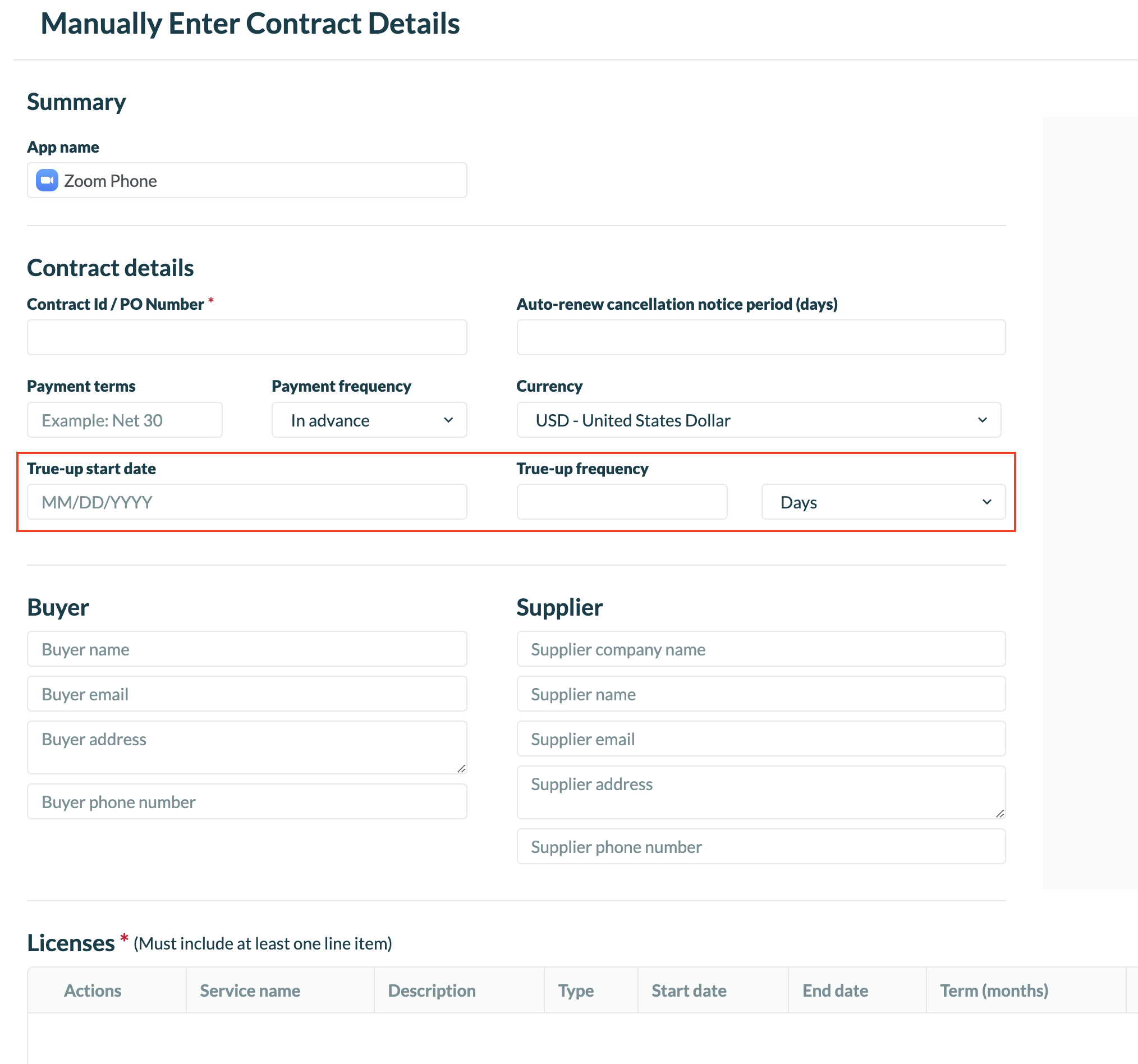
- Users can enter true-up information while manually entering a contract information.
-
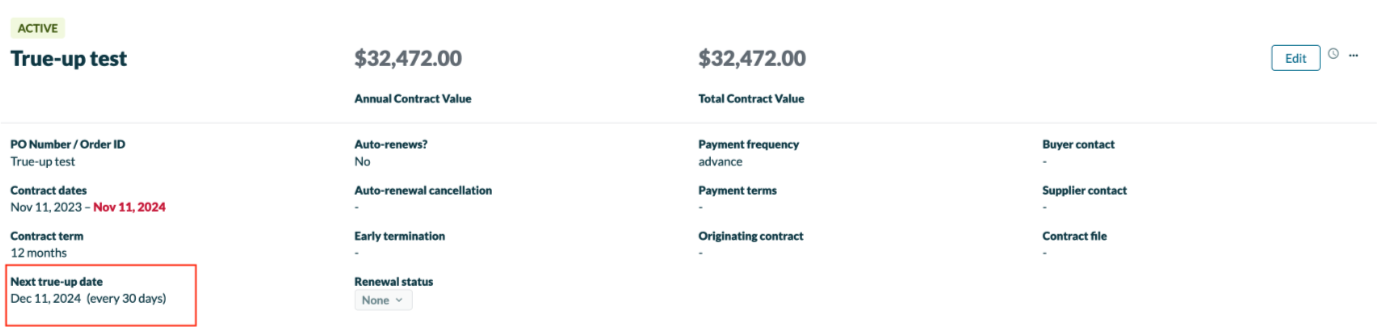
The Contracts page for a specific application now shows “Next true-up date” and “frequency” in the contract details section
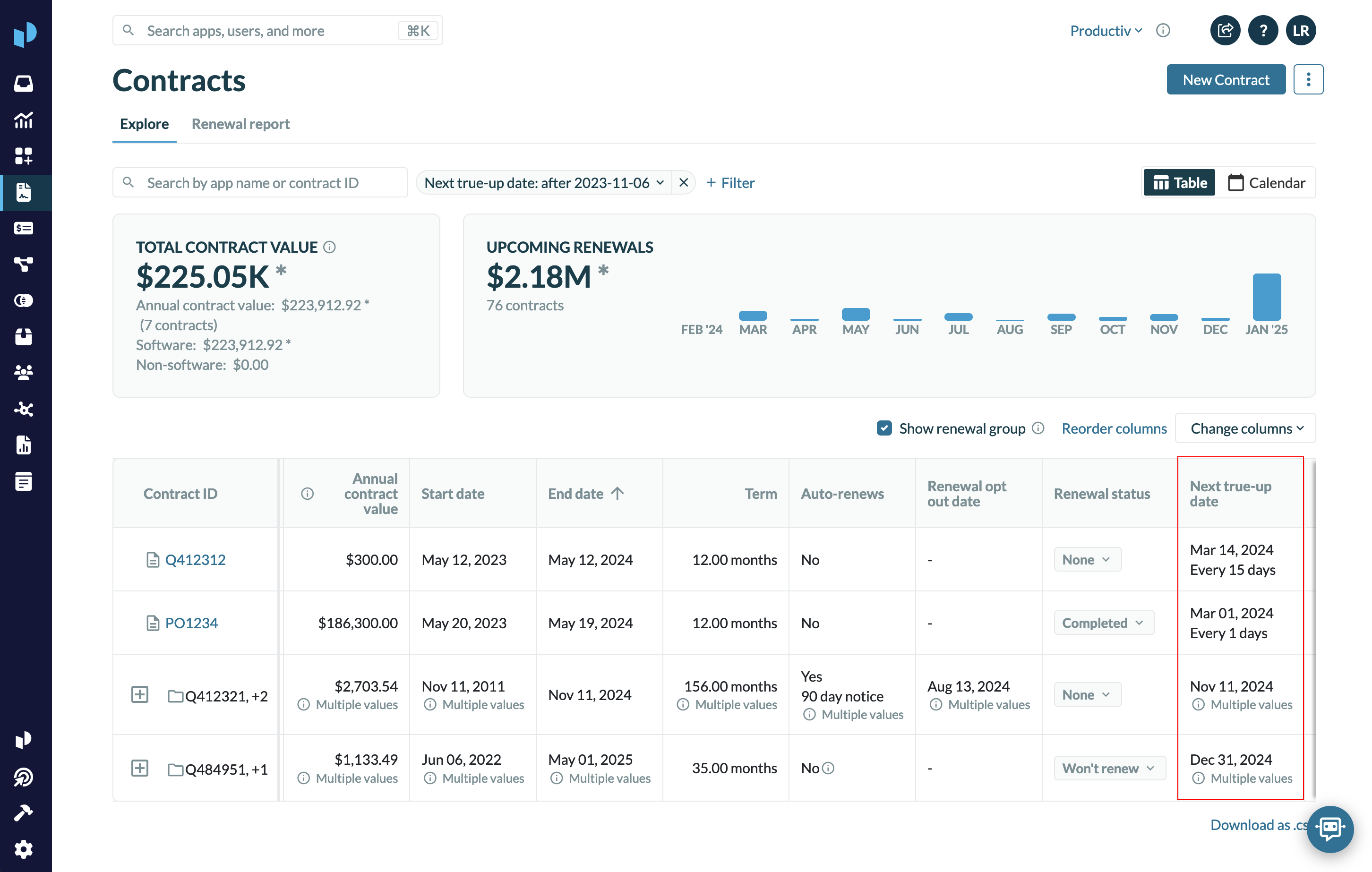
- “Next true-up date” and “frequency” are available as columns that can be added on the contracts list table
-
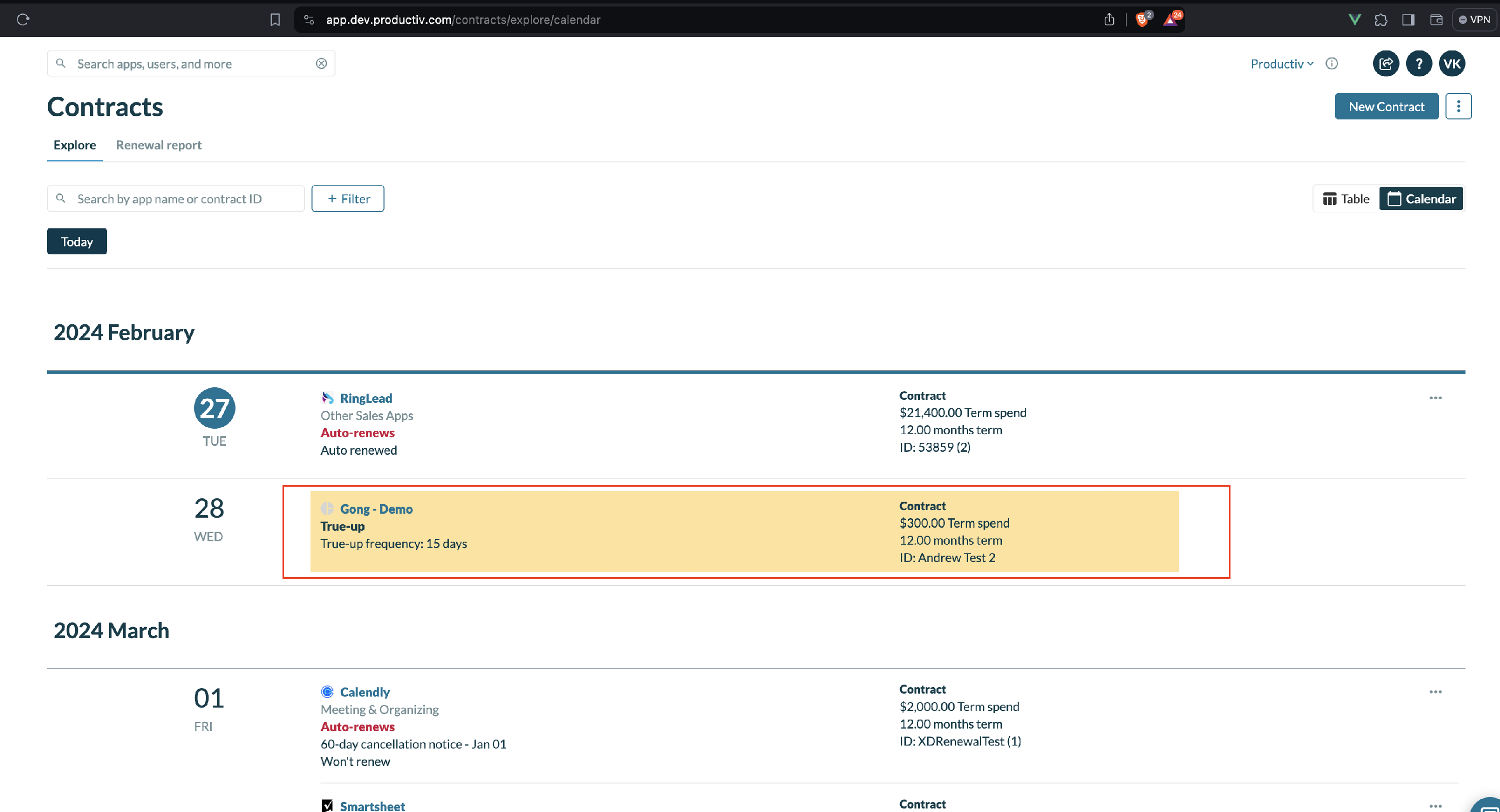
True-ups and their frequency are now shown in the Calendar view for Contracts