Changing Contracts in a Renewal Workflow
Productiv supports adding or removing contracts from an active renewal workflow. This is helpful when you need to group contracts with slightly different end dates into the same renewal or separate a contract to handle its renewal on its own.
Why Change Contracts in a Renewal?
The system automatically groups multiple contracts into a single renewal workflow only when the "Initiate a renewal workflow for co-terminus contracts" option is selected in the renewal workflow's trigger node and they share the exact same end date. You may want to manually change which contracts are included in a workflow for a few common reasons:
- Early Renewal: You need to add another contract to an existing renewal, such as for a true-up, to renew it early with the main agreement.
- Consolidate Workflows: You want to combine several renewal workflows that were started for the same application but had slightly different contract end dates.
- Separate a Contract: You need to pull one contract out of a grouped renewal to manage its renewal process separately.
How to Add or Remove Contracts
Follow these steps to change the contracts included in a workflow. These action can be taken at any point while the workflow is still in progress.
- Navigate to the Workflow Request page for the workflow you want to edit.
- Scroll down to the "Contracts" section or click the "Contracts" tab in the request navigation menu.
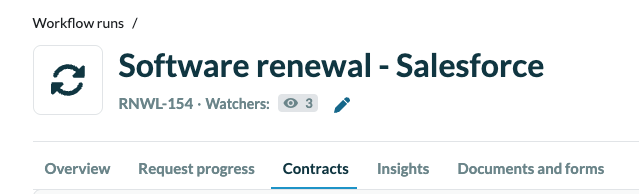
- Click the Add/Remove contracts button in the "Contracts" section header.

- A modal window will appear. Use the button to select contracts to include or deselect contracts to exclude from the workflow.
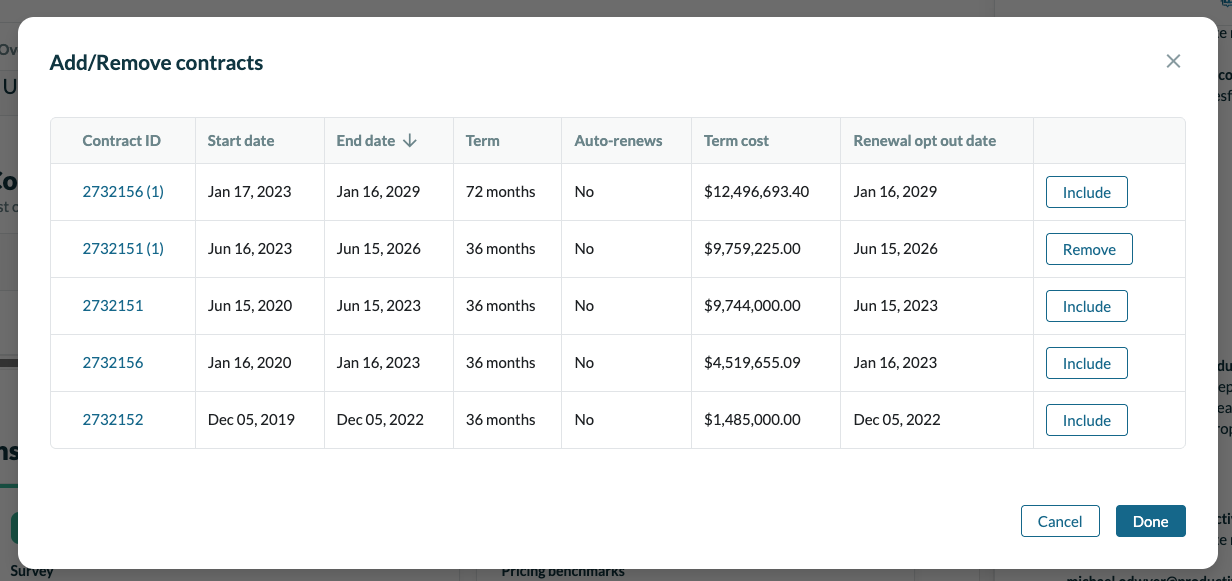
- Click Done.
The page will then reload, and the "Contracts" and "Overview" sections will be updated to reflect your changes.
Important Considerations
- ⚠️ Existing renewal proposals will not be automatically updated after you change the contracts. If proposals were already created, you will need to manually edit them to reflect the changes.
- If you are consolidating multiple workflows into one, don't forget to go back and cancel the workflows you are no longer using.