Investigate Who Purchased, or Expensed, Discovered Apps
Want to investigate who purchased or expensed an app that you didn't know existed? Do the following:
- From the Productiv menu, select Apps.
- From the Custom Views menu, select Discovered.
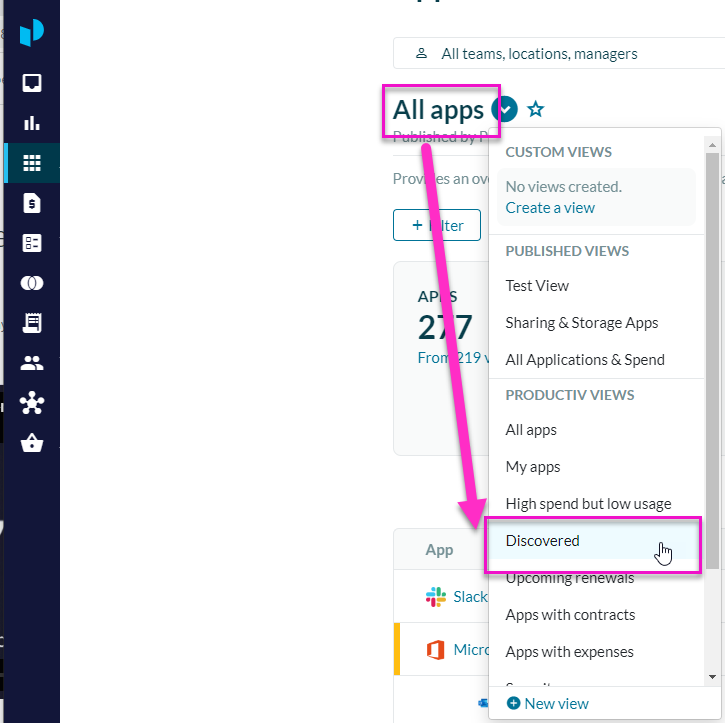
- Select any app on the list.
- Select the Expenses tab.
- Scroll-down to Expense Entries.
This area denotes information such as a the Supplier, Expensing ID, amount and PO Number.
