This article describes how to interact with the app Recommendation page's Rightsize provisioning regularly chart.
See also: App recommendations overview, Provisioning recommendation breakdown table, Renewal recommendations, and Contracts overview
The app Recommendation page's Rightsize provisioning regularly section is a data visualization chart that breaks down how the app is currently being used by your organization, and provides recommendations about how to improve your company's ROI on this app. If the app has more than one feature tier, the section shows each tier separately.
Productiv's exploration of your company's app usage identifies the following user segments:
| Ignored users | Users who are either recently provisioned (and thus haven't been using the app for at least half of the period we're examining) or exempt from deprovisioning or downgrading (and as such are not included in rightsizing recommendations). |
| Inactive users | Provisioned users who are either not using their app licenses licenses (especially if this is engagement data), or have not yet logged in to the app (if this is SSO data). |
| Less usage | Provisioned users who are using the product inefficiently; that is, they are only sporadically engaged with the product, or not using most of the features in their assigned tier. |
| Efficient usage | Provisioned users who are using the product efficiently; that is, they are actively engaged with the product, and using all or most of the features in their assigned tier. |
| Unused licenses | Licenses that have not yet been deployed, if any. |
Interacting with the data
When viewed for the first time in the Recommendation page, the Rightsize provisioning regularly chart looks something like this:
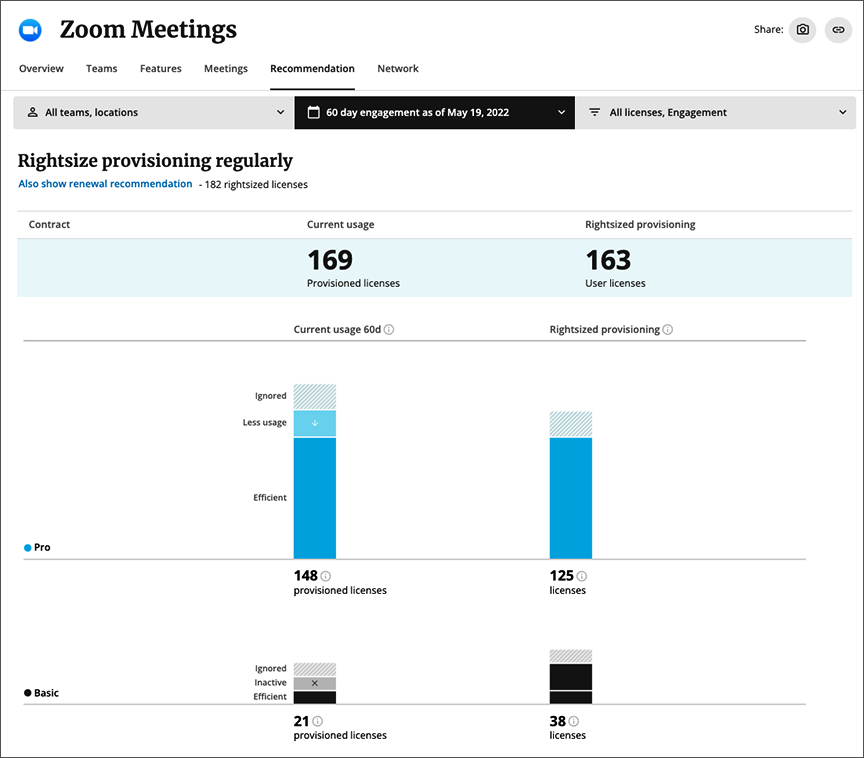
To examine specific information about a segment, move your cursor over that segment. Productiv displays a recommendation on how to adjust that segment if necessary, and a through line appears, pointing to the possible fix.
To view renewal recommendations side-by-side with the rightsizing recommendations, click the Also show renewal recommendations link, just beneath the Rightsize Provisioning Regularly heading. (For further information, see Renewal recommendations.)
To drill down further on this information, scroll down to the Provisioning recommendation breakdown table.
Example 1: Ignored Pro users segment
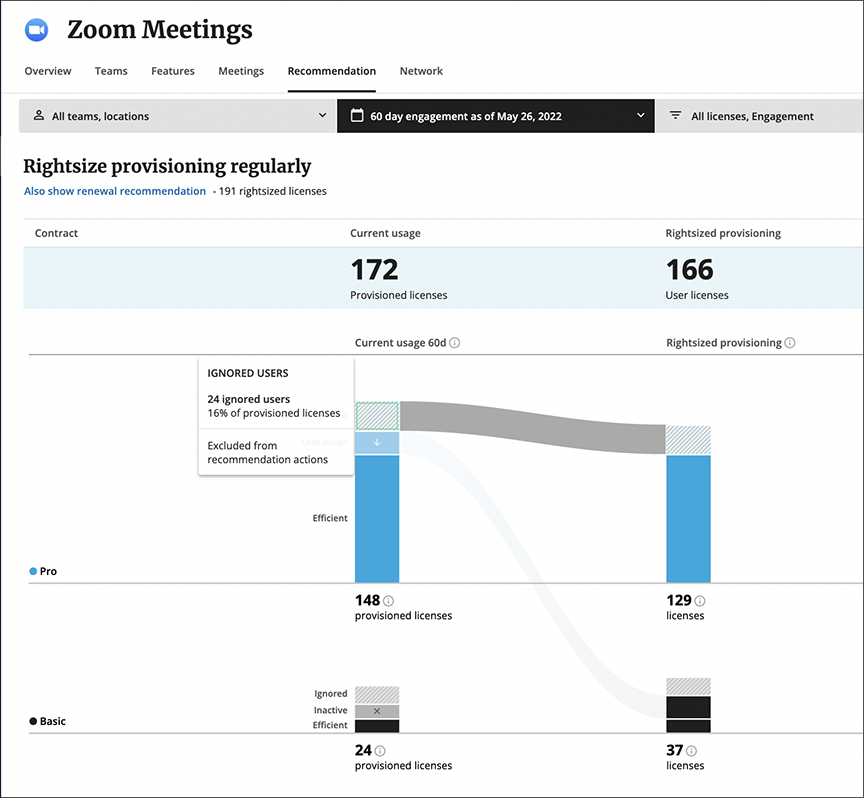
Currently this app's user population includes 24 ignored users. If we watch this app longer, it's possible that some of the ignored users will drop off. (We can examine this segment via the Provisioning recommendation breakdown table.) However, if we assume that figure will stay stable, the rightsize recommendation will assume that this number of ignored users will continue.
Example 2: Less usage Pro segment
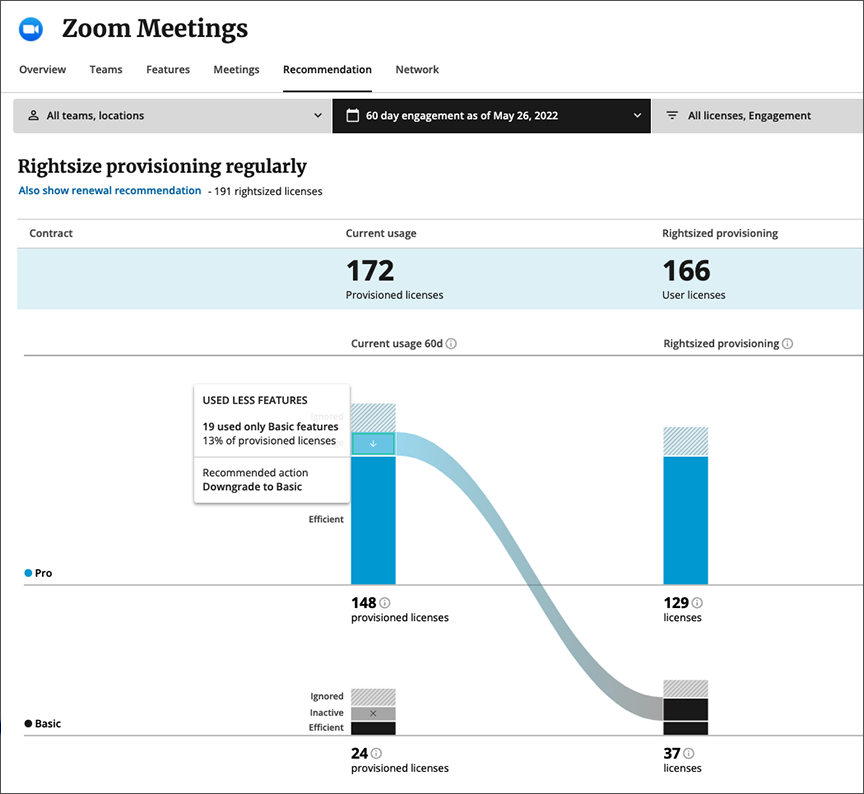
It appears that 19 of the users who have Pro licenses use the app inefficiently, not making use of the full range of Pro features. These users could easily be downgraded from the Pro to the Basic license, which would create some cost savings at license renewal time.
Once rightsized, the number of Pro licenses could shrink from 148 to 129, and the number of basic licenses grow from 24 to 37.
Example 3: Efficient Pro segment
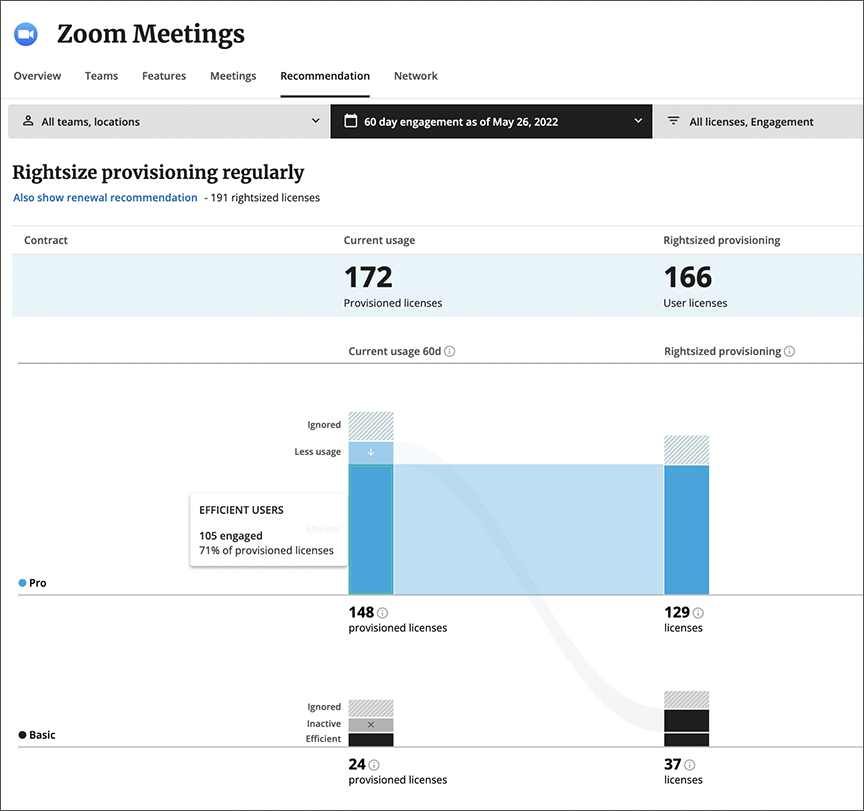
The vast majority of users currently provisioned to use the Pro tier, use the app efficiently. This is 71% of all Pro license users. Rightsize provisioning would leave those licenses alone.
Comments
0 comments
Please sign in to leave a comment.