Reseller pages
This article describes the information stored in an individual Reseller's page.
____________
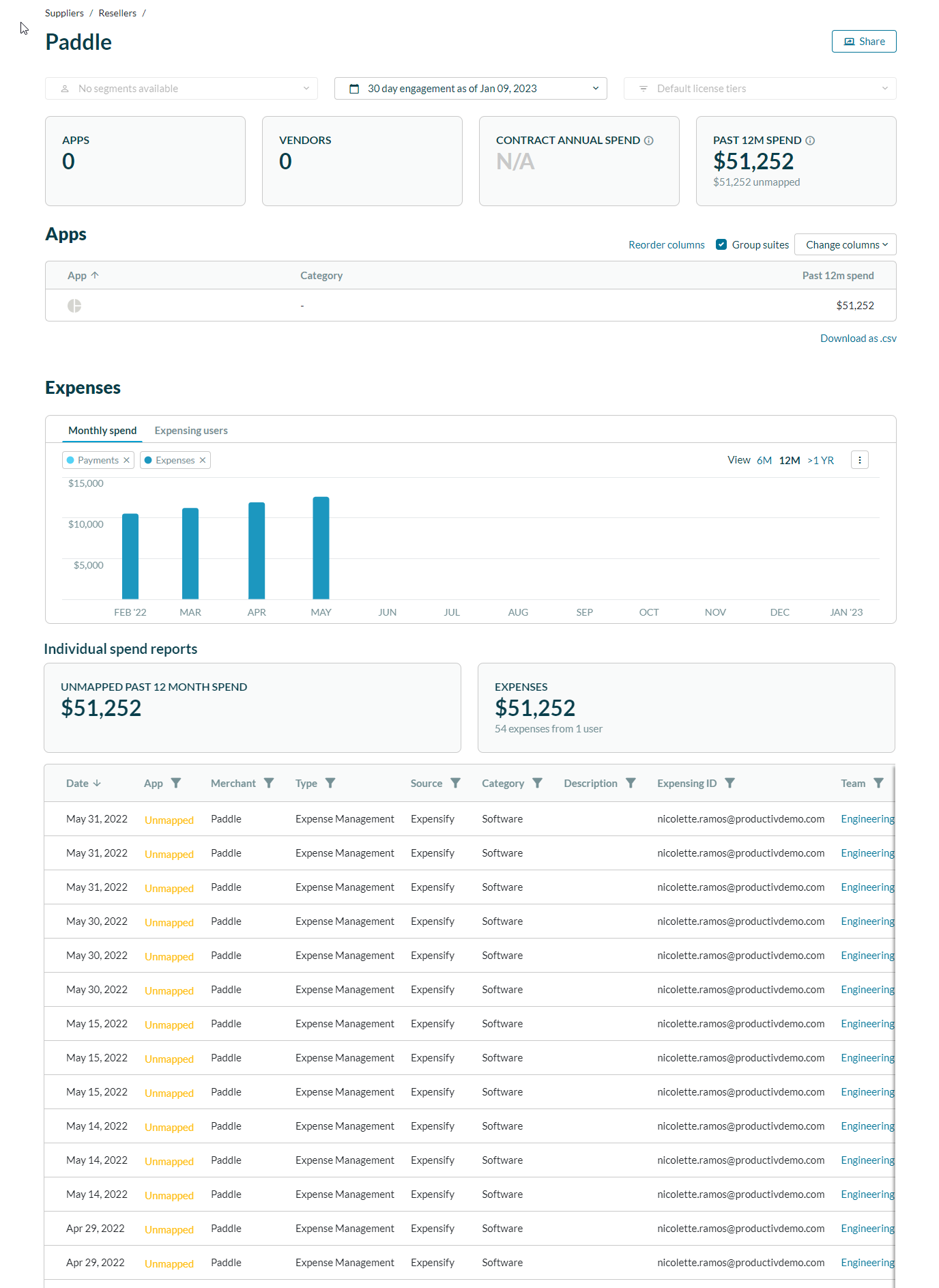
Individual reseller pages have four main sections:
Resellers
The top of an individual vendor page shows:
- the number of app instances at your site that were purchased through this reseller,
- the number of vendors represented by those apps,
- a summary of all spend from this reseller at your site within the past 12 months, and
- if applicable, how much unmapped user spend has been accrued through this reseller.
To examine an individual Vendor line item more deeply, click the vendor name. Productiv displays that vendor page.
Expenses
The Expenses section provides bar charts that show monthly spend for all apps purchased from this reseller over a 6-month, 12-month, or older historical period.
It also provides information on related non-contract spend for all apps purchased from this reseller over a 6-month, 12-month, or older historical period.
Apps
The apps section lists all apps at your location that have been purchased through this reseller. The details of each listed contract are available on the individual app page's Contract sub-page.
If any of the listed contracts are due for renewal within the next 90 days, a banner in this section identifies the contract and alerts you to that status.