Building a survey
Creating effective surveys is a powerful tool for gathering valuable feedback from your company's users. By understanding their experiences and preferences, you can make informed decisions to improve your application. This guide will walk you through the process of building a survey using our form builder.
Creating a survey
- To create a new form click on the “Create new form” button in the Form page
- Navigate to the Form Builder and Select the "Surveys" option from the available form types.
- To create a survey, you can either use our template or build from scratch.
If you choose to build from scratch, you will be prompted to provide Form name and Form description for the form being created. Tip: Make sure you provide enough detail here to help you select the form while sending out the survey.


Here is a detailed article on how to create and use the form builder Link to article
Selecting survey questions
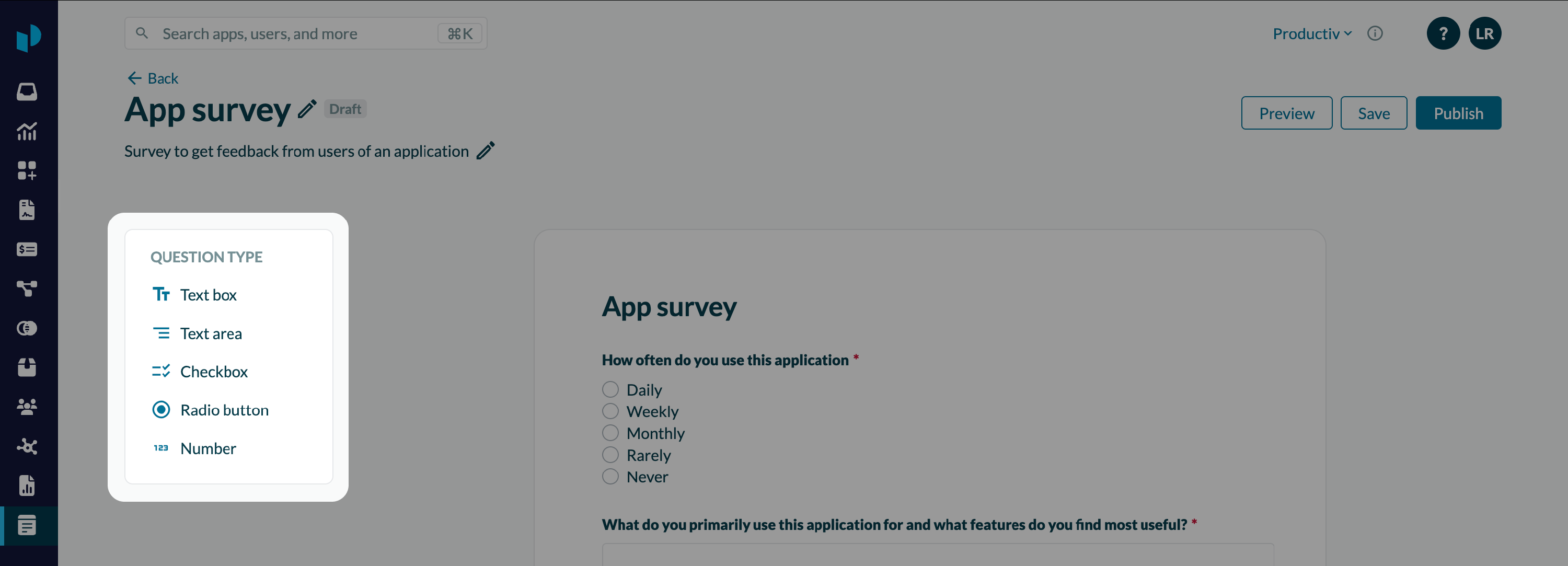
You can choose from the following question types to tailor your survey to your specific needs:
- Text box
-
- Use for short, specific answers like names, email addresses, or single-word responses.
- Example: "What is your name?"
- Text area
-
- Ideal for longer, more detailed responses, such as open-ended feedback or suggestions.
- Example: "What do you primarily use this application for?”
- Checkbox
-
- Allows users to select multiple options from a list.
- Example: "Which features do you use most often?"
-
- Feature A
- Feature B
- Feature C
- Radio button
-
- Requires users to select only one option from a list.
- Example: "How often do you use the app?"
-
- Daily
- Weekly
- Monthly
- Rarely
- Never
- Number:
-
- For collecting numerical data, such as ratings or quantities.
- Example: "On a scale of 1-10, how satisfied are you with the app?"
Tips for Effective Survey Questions
- Keep it concise: Avoid long, complex questions that may confuse users.
- Use clear and simple language: Avoid jargon or technical terms.
- Ask one question at a time: Avoid double-barreled questions.
- Consider your target audience: Tailor questions to their level of understanding.
- Use a logical flow: Organize questions in a way that makes sense to the user.
- Test your survey: Conduct a pilot test to identify any issues or areas for improvement.
By following these guidelines and leveraging the flexibility of our form builder, you can create engaging and informative surveys that will help you gain valuable insights from your users.