Understanding your organization's SaaS spend per team opens the door to several important insights. When you understand how average members of each team uses SaaS applications, you can make better predictions about how much a new department employee will "cost". Easy access to these metrics also enables IT to hold individual teams accountable for how they manage their own SaaS spend.
Effective July 14, 2022, Productiv has improved the display of provisioned spend per team and provisioned spend per team member by adding two new columns to the Teams page: provisioned spend (per team) and provisioned spend per team user.
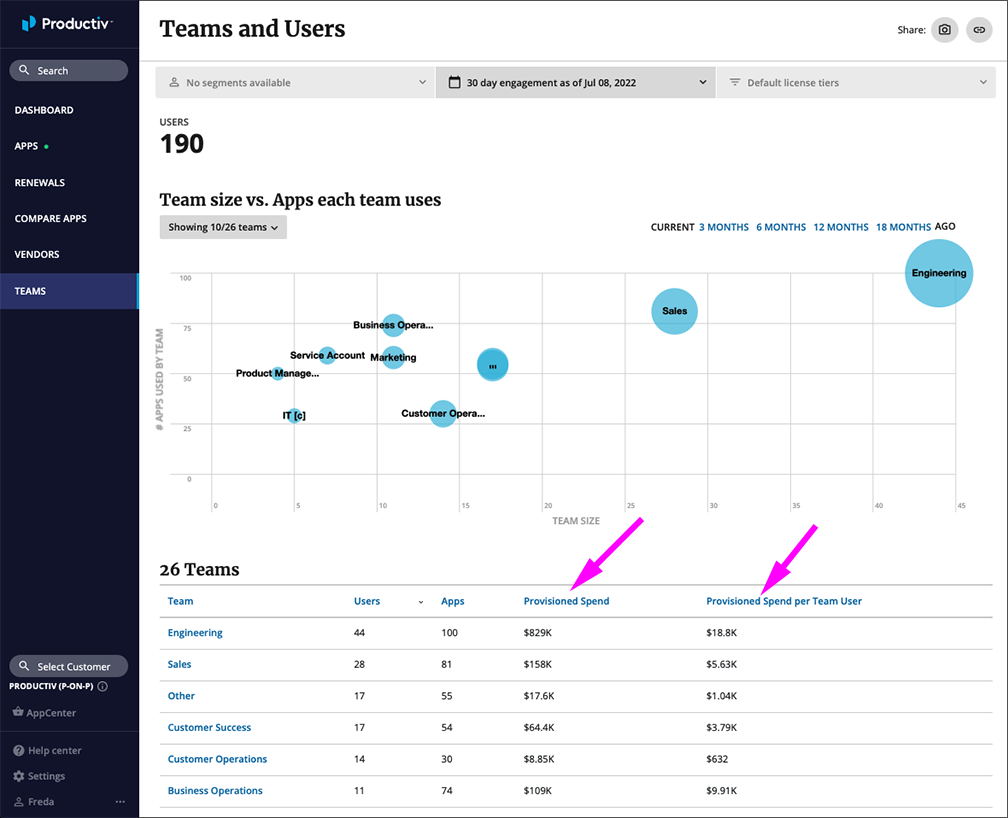
Note: The provisioned spend metrics are derived from uploaded contract spend data, which does not include the total spend as ingested from spend systems.
Where can I see this?
In the Navigation pane, click Teams. These new columns are already present in the Teams table.
How can I use this?
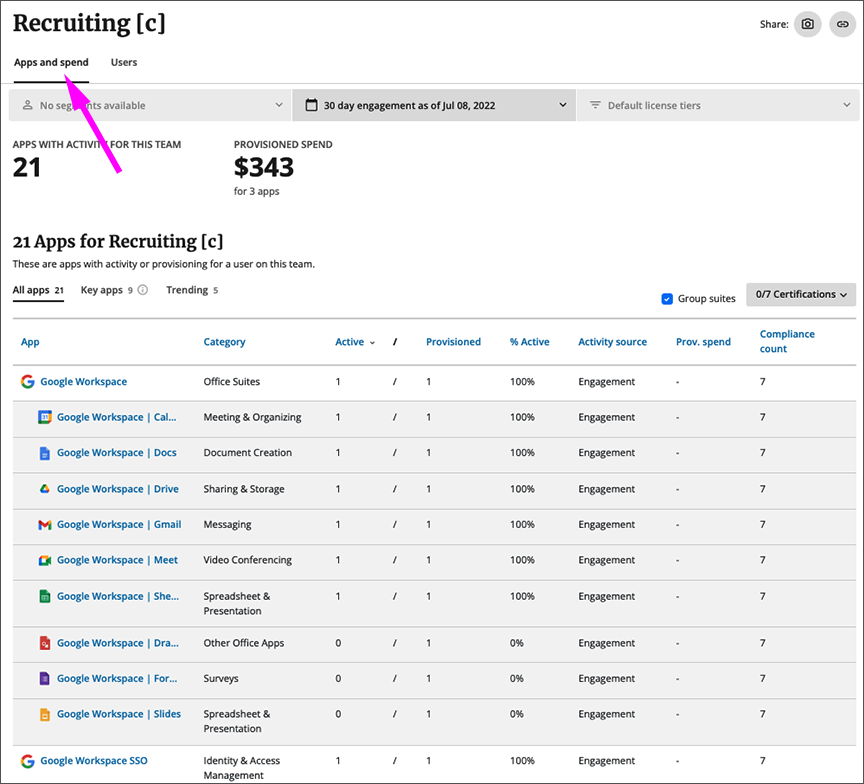
To drill down on provisioned spend per team, click the team name. Productiv displays a table showing all apps for that team, that you can further sort by key apps and trending apps. Each app is shown with the number of provisioned users, and, when a contract has been uploaded, the provisioned spend per user per app.
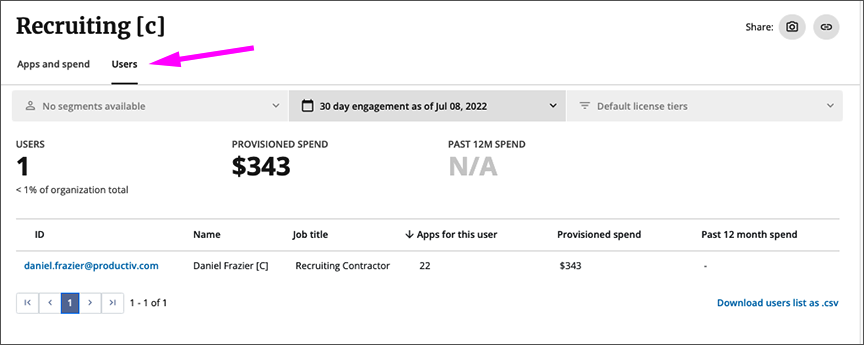
To drill down on users for which provisioned spend data is available, sort the table on Users.
Comments
0 comments
Please sign in to leave a comment.