The Help Center houses all Productiv end user documentation, including resources for learning product features, refreshing your training, and getting quick video demonstrations.
Content changes almost daily, but the general organization of the Help Center looks like this:
How to access the Help Center
You can only reach the Productiv Help Center while logged in to the Productiv app.
To open the Help Center from anywhere in Productiv, go to the upper right corner the page and click the ?
How to Browse the Help Center
From the Help Center home page, click any tile to view the list of articles. Content is organized along these general lines:
- Product Documentation includes step-by-step instructions for using Productiv features and some deeper-dive articles that explain when, how, and why to use the features.
- Release notes describe new and improved product features.
- Training resources provide videos and how-to guides on how to set up your Productiv account and how to best use Productiv to meet your goals.
- Connector doc supplies all the connector onboarding and user guides for all Productiv connectors.
- Blogs for users who want to dig deeper into Productiv topics.
- Frequently asked questions.
How to search the Help Center
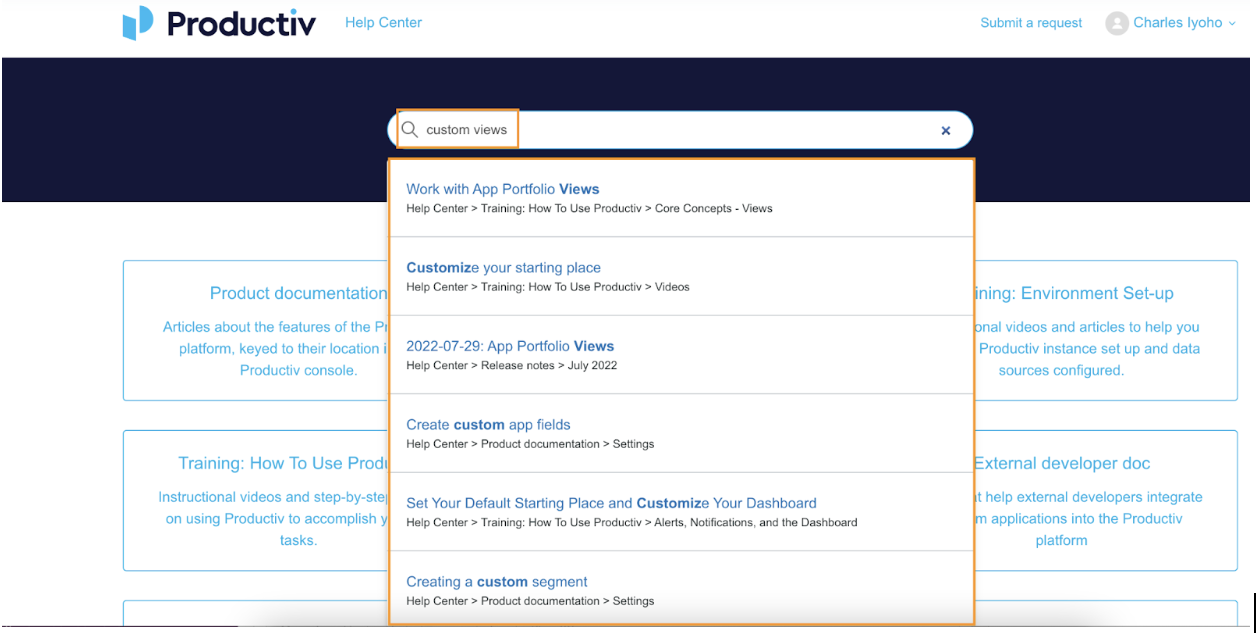
- In the Search bar at the top of the screen, enter a topic or keyword of your choice. The search bar displays a list of articles that contain some of the keywords you just searched for.
- Select a relevant article from the recommended list. You can also press Enter or return on your keyboard after entering the topic name to review a list of articles relevant to your search.
 |
To search for a topic within a specific category:
- Select a tile of your choice on the Help Center homepage.
- Select an article from the list or enter a keyword in the search bar at the top right to narrow the search to a specific topic > press enter or return on your keyboard.
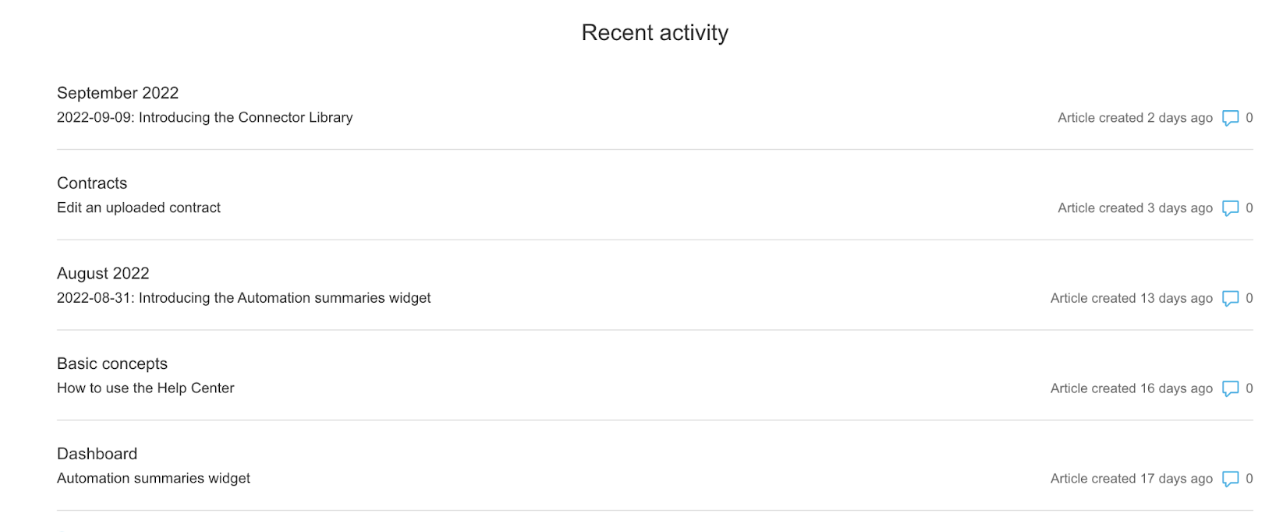
To view recently changed or viewed articles:
- Scroll down to the Recent Activity section at the bottom.
- Click the See More link to expand the list > select an article of your choice.
 |
To return to the Help Center home page, click the Productiv Help Center banner at the top of the page.
Comments
0 comments
Please sign in to leave a comment.