Connector coverage widget
This article describes the Dashboard's Connector coverage widget.
For information on how to edit the configuration of this widget or change its location in the Dashboard, see Dashboard overview.
The Connector coverage widget shows the number of all apps in your organization that have Productiv engagement connectors but have not yet been set up to use them. Until you have set up an app’s engagement connector, you will only see engagement data that comes from an SSO connector.
It also shows platform-level connectors (SSO, contract, HR, CASB, etc.) that need to be connected and Productiv connectors that need to be reconnected.
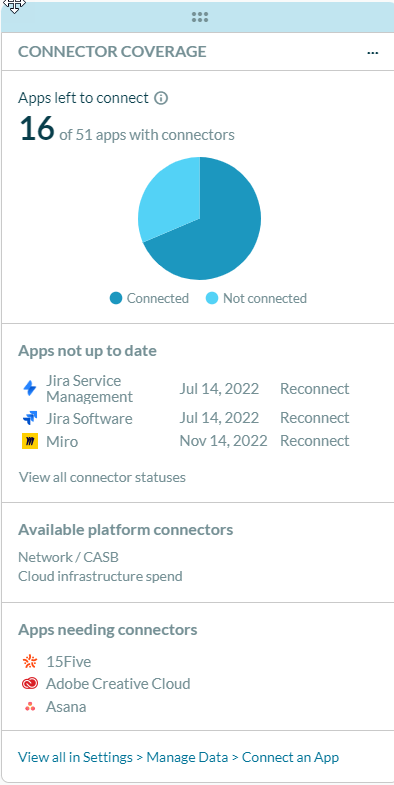
To take action, click the app name in this widget, under Apps needing connectors, or click View all in Settings > Manage Data > Connect an App.
Productiv displays the Settings > Manage data > Connect an App page, which shows all apps in your organization that have connectors that have not yet been set up.
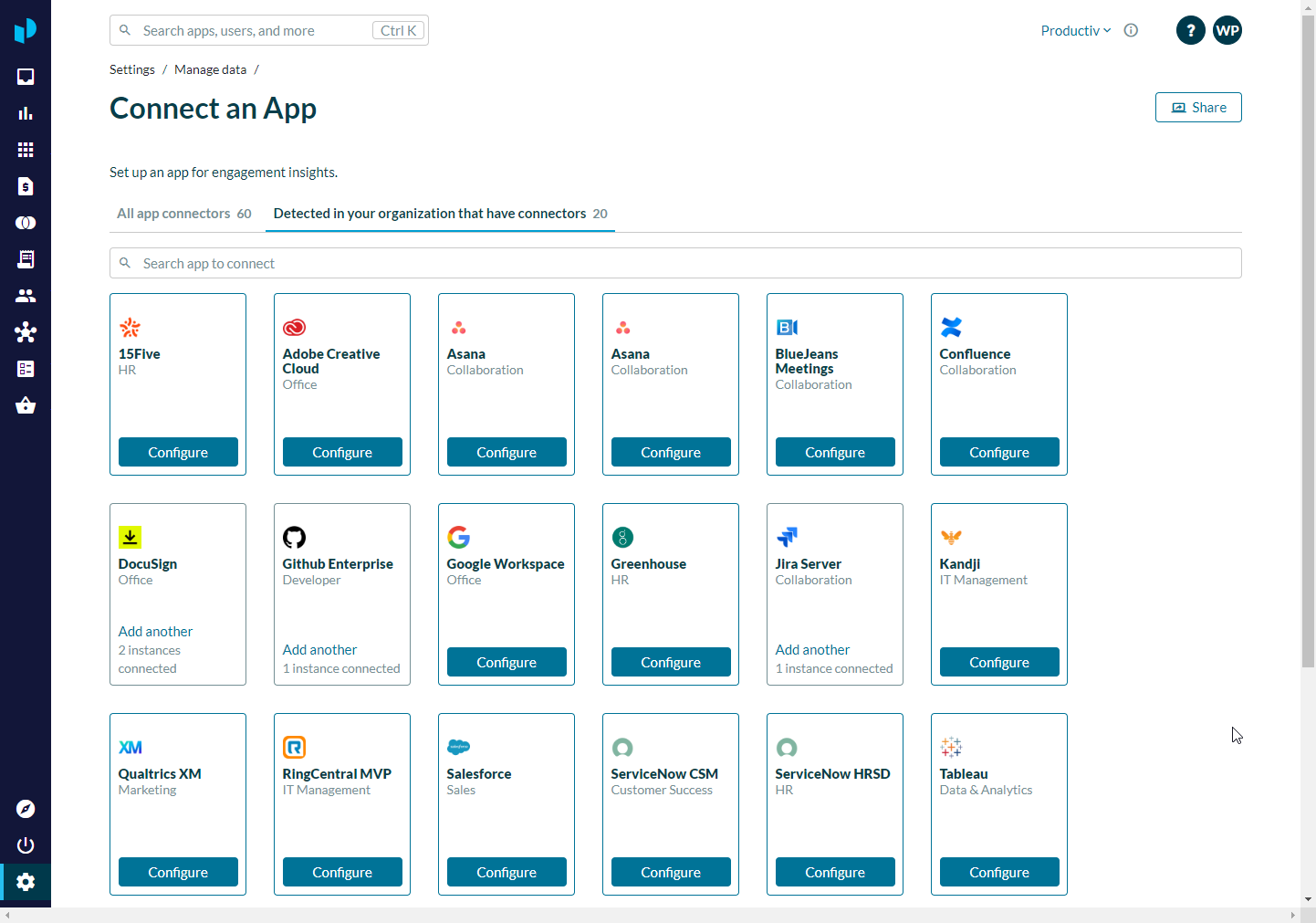
Click the tile for the app you want to set up, and follow the on-screen instructions.
Read more
For further information about setting up app engagement connectors, see Connecting detected apps.