Workflow steps and associated tasks
Table of contents
- Review Productiv Insights
- Create or review renewal proposal
- Fill a form
- Upload document
- Review forms/documents
- Update Productiv fields
- Upload renewed contract
- Update cost savings
Review Productiv Insights
Workflows
Software Renewal
Productiv insights can provide valuable insights into how your team is using the software. This information can be used to identify areas where you are underutilizing the software or where you may need additional licenses
Depending on the application, one or more of the following insights will be available
- Surveys: View feedback provided by users of an application
- Pricing benchmarks: Identify potential cost savings across licenses
- User engagment: Application usage trends based on last 90 day activity
- Security and compliance: Supported security protocols and compliance standards
- License recommendation: Recommendations per license based on last 90 day usage

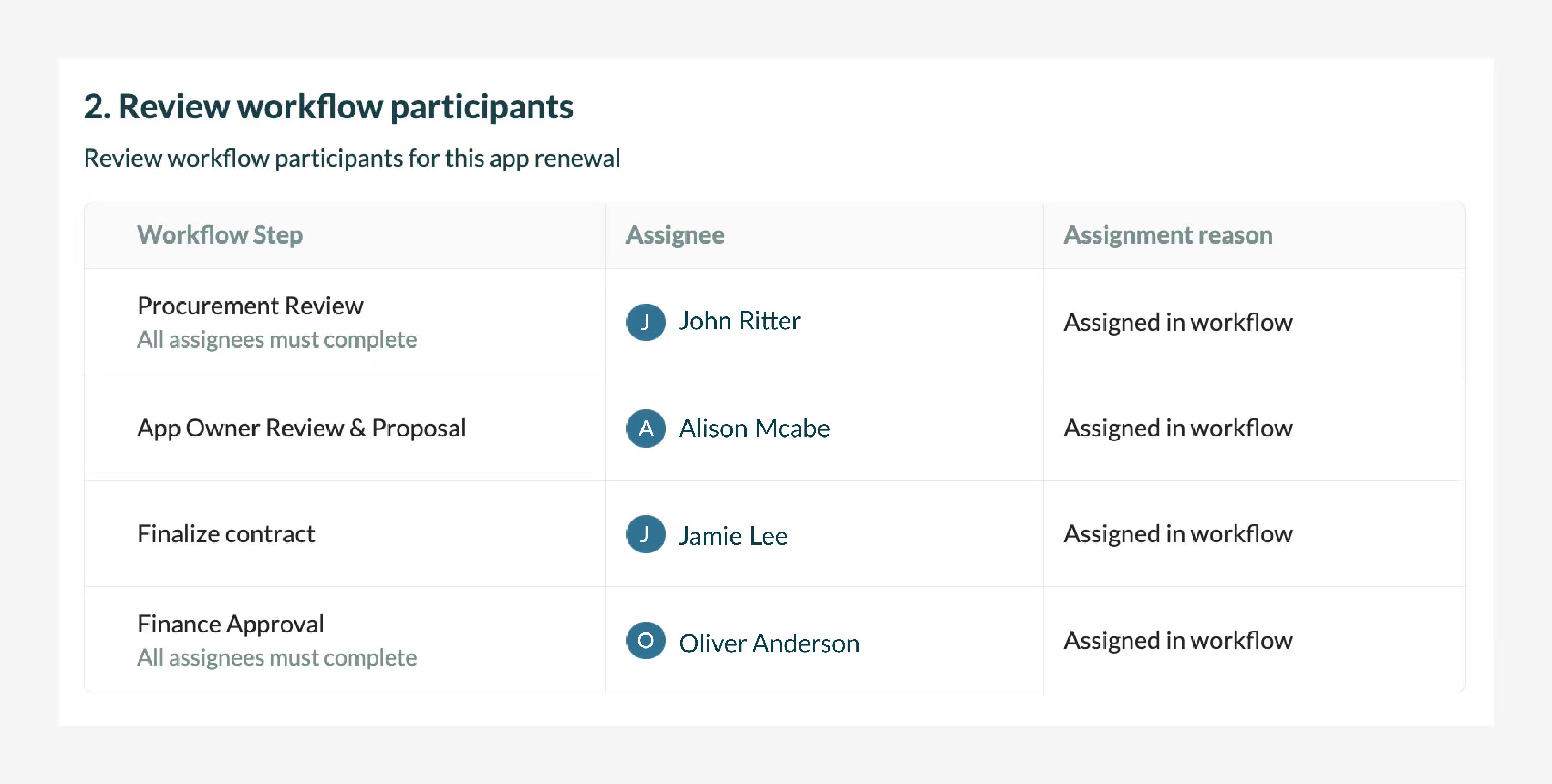
Review workflow participants
Workflows
Software Renewal, Application Review
Ensure that all of the required participants in the workflow are included and accurate. This may include stakeholders from your procurement, finance, and other departments that are involved in the decision making.
Create initial renewal proposal
Workflows
Software Renewal
The proposal indicates which products and services you would like to renew. It will be attached to this request and be made available for other participants to review.
- You can either copy from the current contract to get a head start or start from scratch.

- This proposal is the basis for the contract to be renewed and should include the following:
- Contract duration
- Units (e.g. licenses)
- Annual cost per unit
- Total contract value
- Whether you plan to auto-renew

Reviewing renewal proposal
Workflows
Software Renewal
Review the proposed renewal contract for accuracy and completeness, ensuring that it meets the team's needs. If necessary, changes can be made to the proposal.

Fill a form
Workflows
Software Renewal, Application Review, New Software Purchase and General Purchase
Forms can be used in workflows to capture structured information and document crucial decisions. It will be attached to the request and be made available for other participants to review.

Upload document
Workflows
Software Renewal, Application Review, New Software Purchase and General Purchase
Allows team members to upload documents of a specific type as a part of a step. It will be attached to this request and be made available for other participants to review.


Review form/documents
Workflows
Software Renewal, Application Review, New Software Purchase and General Purchase
Forms and documents submitted during a request can be reviewed by team members to verify accuracy and completeness. If necessary, changes can be made to the form.

Update Productiv fields
Workflows
Software Renewal, Application Review
Enables users to modify application fields directly from a workflow step ensuring that relevant data is synced and kept up to date as decisions are being made during a renewal.

Upload renewed contract
Workflows
Software Renewal
Upload the finalized contract, or browse and select it from files that were previously added to the workflow.

Update cost savings
Workflows
Software Renewal
Enter any cost savings that you have achieved by renewing your software contract, such as:
- Reduced costs by negotiating the contract price.
- Avoided costs by removing unused licenses, obtaining free offerings, removing set up costs, etc.
