Simplify Productiv sign in for frequent users
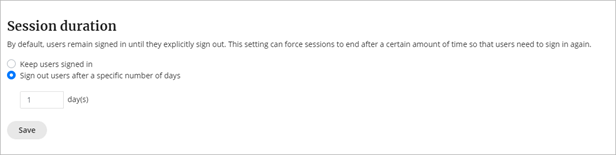
The Session duration setting allows you to control how frequently users must sign in to access Productiv. Use the Session duration setting to tighten access security or to reduce friction for frequent users, depending on what’s best for your organization.
The Keep users signed in option allows infinite sessions once users are signed in (until they sign out). You can also sign users out after a specific number of days.
Superadmin users can configure the session duration setting.
To change the session duration:
- Select the Settings icon in the left navigation list.
- Select the Organization tab.
- Scroll down to the Session duration section.
- Select Keep users signed in for infinite sessions or Sign out users after a specific number of days to define more limited sessions.
- Enter the number of days.
- Select Save.
Comments
0 comments
Article is closed for comments.